What's My Suitable TV Size?
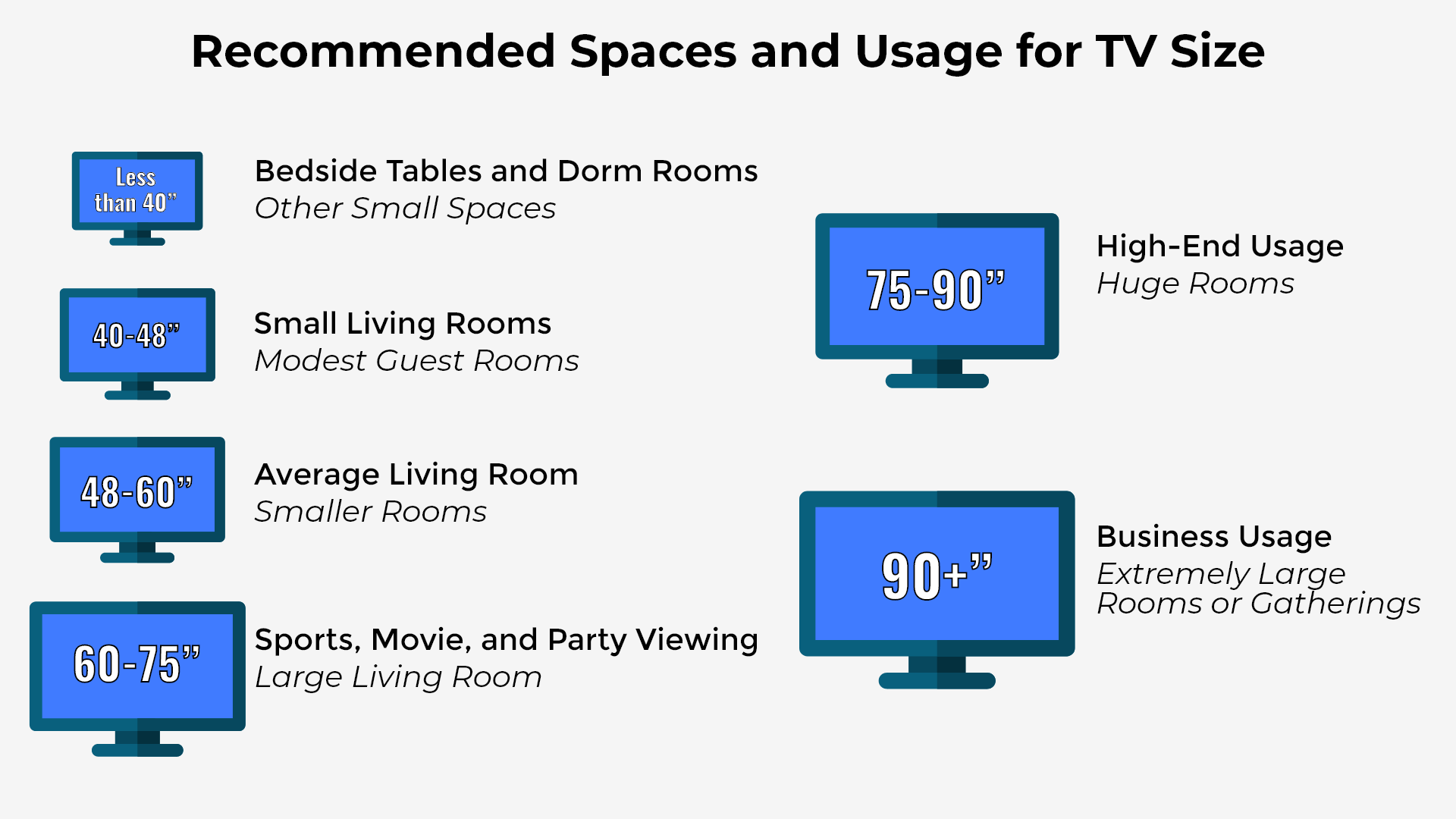
One of the most crucial decisions to make when purchasing a new television is selecting the appropriate screen size. A TV that is too small will not provide an immersive experience, and one that is too huge may seem overwhelming or unpleasant in your area. The appropriate TV size is determined by the viewing distance, room size, resolution, and usage habits. This advice will help you make a confident decision.
1. Viewing Distance
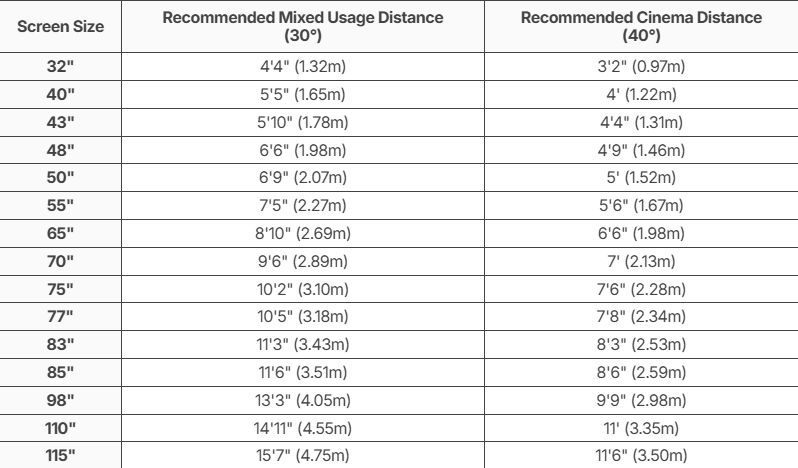
Your viewing distance (the space between your sofa and the TV screen) directly affects comfort and picture quality.
Rule of thumb: For modern TVs, the viewing distance (in cm) ÷ 2 ≈ recommended TV size (in inches).
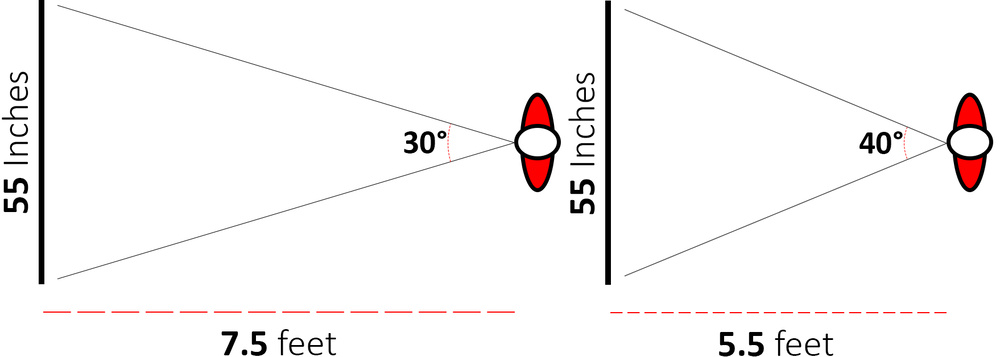
Now, too far away is one thing, but what about the other direction: can a TV be too close for comfort? Absolutely. Putting in a larger TV that fills more of your field of view certainly delivers a more cinematic viewing experience, but with certain types of content, it's just not enjoyable. This becomes very apparent if you try to watch sports from up close while fixating on a single part of the screen, which quickly starts to feel nauseating. You'll likely get headaches, and it certainly won't be very enjoyable. Games are another example where too big can be a downside. Think about the position of the key UI elements in your favorite game. You usually want to be able to see them at once without constantly looking around the screen. While it makes some sense to get as large a TV as you can for movies, not all content is created to fill your entire field of view.
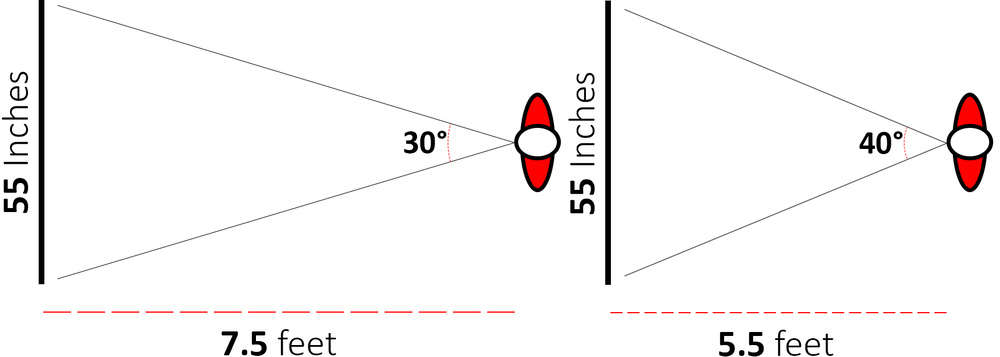
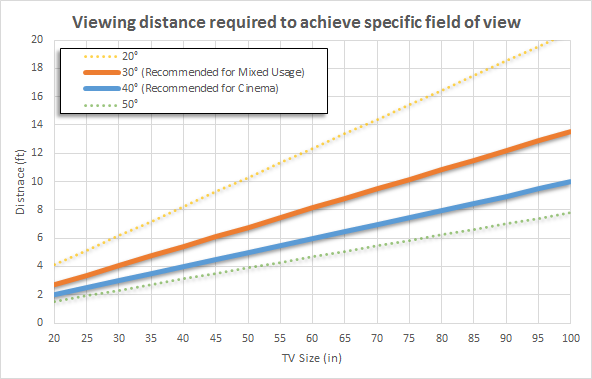
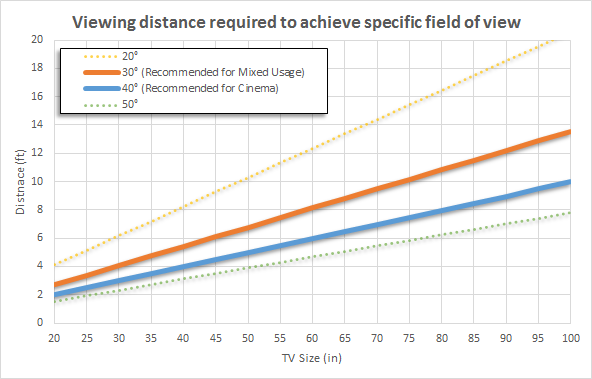
Finding the right size for your specific situation is usually a balancing act. You want to choose a TV that will fill up somewhere between 30° and 40° of your field of view. The area between the orange and the blue lines in the graph above shows the approximate goldilocks zone for TV sizes between 20" and 100".
Of course, the advice listed above are only guidelines. If you want a more immersive movie-watching experience, go with a larger TV than the recommended 40° field of view, but keep in mind that it may be less comfortable in some scenarios. Smaller than 30° is usually not suggested because you will not be able to see tiny details, and text and UI elements in games can be difficult to see.
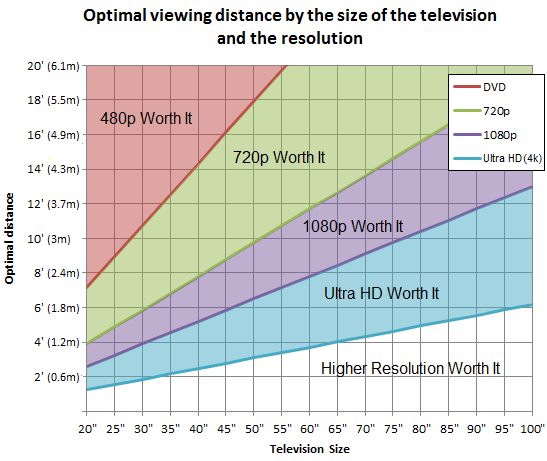
2. TV Resolution Matters
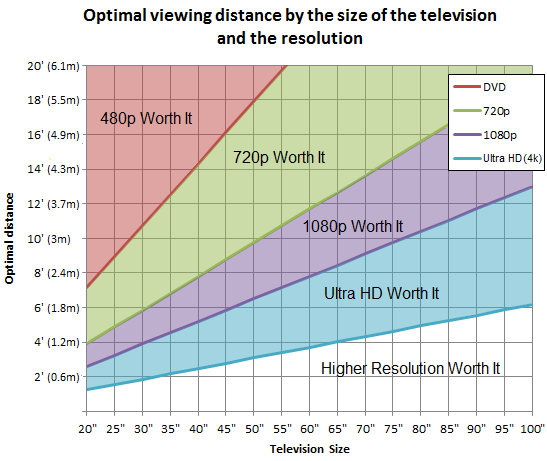
Higher resolution allows you to sit closer without noticing pixels.
Tip: For TVs 50" and above, always choose 4K.
3. Usage Type: What Do You Watch?
• Movies & Streaming
Bigger screens (55" and above) provide a cinema-like experience
4K HDR strongly recommended
• Sports
Larger TVs (65"+) help follow fast action and wide shots
• Gaming
43" – 55" for competitive gaming (shorter distance)
55" – 65" for console and immersive gaming
Look for low input lag and high refresh rates
• Casual TV Watching
43" – 55" is usually sufficient
4. Final Recommendation
If you’re unsure between two sizes, choose the bigger one, especially if it’s a 4K TV. Measure your viewing distance, check your wall or cabinet space, and match the TV size to how you watch content.
A well-chosen TV size will transform your viewing experience for years to come.
TVs On Sale
Need Help Deciding? Contact Us